Updated for 2026 — This article has been reviewed and updated with the latest recommendations.
Best USB-C Hubs for MacBook and Windows Laptops

Modern laptops ship with two or three USB-C ports and nothing else. No USB-A for your existing peripherals, no HDMI for presentations, no SD card slot for photographers. A USB-C hub adds back the connectivity that manufacturers stripped out in the name of thinness. The right hub turns your laptop back into a fully functional workstation.
What to Look For
Port selection should match your actual needs. Most people need at least one HDMI output, one or two USB-A ports, and a USB-C pass-through charging port. Photographers need an SD card slot. Users connecting to Ethernet for reliable network access need an RJ45 port. Avoid hubs with ports you will never use because each added port increases cost, size, and potential failure points.
Power delivery (PD) pass-through matters if you want to charge your laptop while using the hub. Look for at least 60W pass-through for ultrabooks and 100W for power-hungry machines like the MacBook Pro 16.
Anker 341 USB-C Hub (7-in-1)
The Anker 341 provides HDMI (4K@30Hz), two USB-A 3.0 ports, one USB-C data port, SD and microSD card readers, and 100W PD pass-through charging. The aluminum shell dissipates heat effectively and matches the MacBook aesthetic. Slim enough to toss in a laptop bag without adding noticeable bulk. At $35 to $40. Check Latest Price
CalDigit USB-C SOHO Dock
The CalDigit SOHO adds HDMI (4K@60Hz via DisplayPort Alt Mode), two USB-A ports, USB-C port, SD reader, and 100W PD. The 4K@60Hz capability is a meaningful upgrade over the 4K@30Hz that most budget hubs offer, delivering smoother display output for external monitors. At $70 to $80, it costs more but the display quality justifies it for users who work on external monitors daily. Check Latest Price
HyperDrive 6-in-1
The HyperDrive 6-in-1 is designed specifically for MacBook with a dual USB-C connector that plugs directly into two side-by-side ports. This flush mounting looks cleaner than dangling dongle-style hubs. HDMI, two USB-A, SD, microSD, and USB-C PD pass-through. At $50 to $60. Check Latest Price
Uni USB-C 8-in-1 Hub
The Uni 8-in-1 adds Ethernet alongside the standard HDMI, USB-A, SD, and USB-C PD ports. The Gigabit Ethernet port provides a reliable wired connection for video calls, large file transfers, and situations where WiFi is unreliable. The braided cable is longer than most hubs at 7 inches, providing more placement flexibility. At $40 to $50. Check Latest Price
Choosing
For basic needs (HDMI + USB-A + charging): Anker 341 at $35. For external monitor quality: CalDigit SOHO at $75. For MacBook aesthetic integration: HyperDrive. For Ethernet connectivity: Uni 8-in-1.
Get the best of Tech Stuffed
Expert guides, reviews, and tips delivered to your inbox. No spam, unsubscribe anytime.
USB-C HubsLaptop Accessories
Related Articles

Best Ergonomic Mice for People with Wrist Pain
Ergonomic mice reduce wrist strain and help with existing pain.
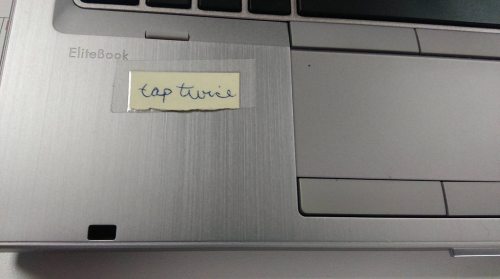
This is a user’s reminder of how to double-click on their laptop at work.

I’m always this sucker.